
What Is MiniMax H3 Image? Specs, Pricing & Usage Guide
on 8 days ago
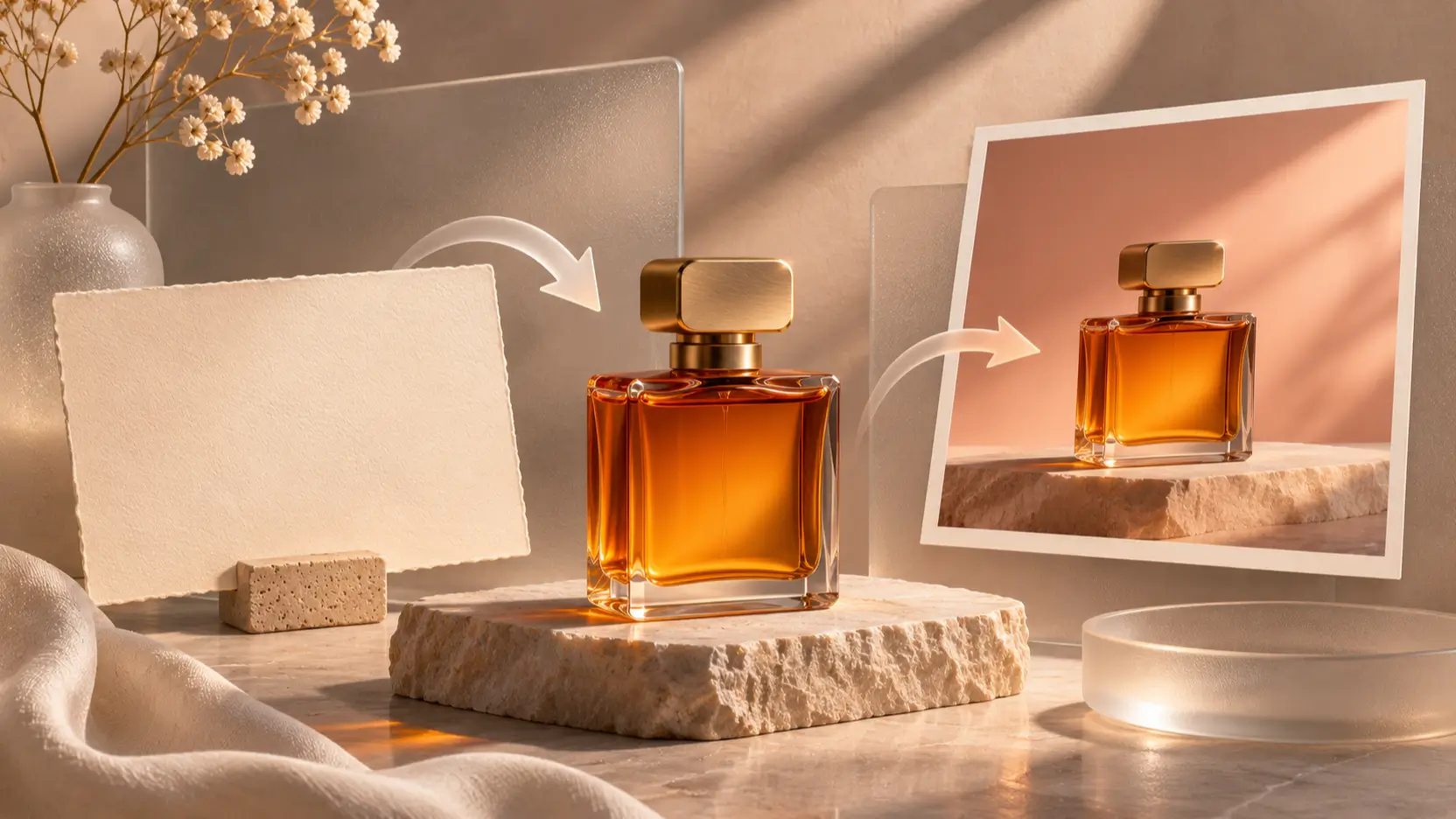
MiniMax H3 Image is an image generation and editing model that creates pictures from text or modifies existing pictures using reference images. It combines those tasks in one checkpoint, with downloadable weights and a hosted API. Before building a workflow around it, check how output dimensions, reference images, and API charges fit your brief. Official model card.
Documentation and prices checked November 12, 2026. This is a documentation-based explainer, not a performance review. All three illustrations are editorial concepts, not MiniMax-generated samples.
What MiniMax H3 Image can do
A project can start with a text-to-image concept, then move into image editing using selected references. MiniMax's model card links to the Hailuo web app, its API platform, and local deployment options. Those are separate ways to access the model; this guide's limits and prices refer to the hosted API unless stated otherwise. Model access options.
Consider an unbranded perfume campaign. A text prompt can establish the lighting and composition for a concept image. For an existing bottle, reference-based editing gives you a way to request a different setting while describing which product details must remain. Check the bottle shape, cap, and reflections before accepting the result; instructions to preserve a product still need visual review.
Image generation specifications that affect your workflow
The hosted service offers MiniMax-H3-Image and MiniMax-H3-Image-Highspeed. They share request parameters and limits. The generation API reference and editing reference document these constraints:
| Setting | Documented hosted API behavior |
|---|---|
| Images per request | 1–10; default 1 |
| Editing references | 1–16 images |
| Prompt length | Up to 32,000 characters |
| Output files | JPEG by default; PNG and WebP also available |
| Custom output area | 655,360–20,000,000 pixels |
| Output aspect ratio | Between 1:3 and 3:1, inclusive |
| Unsupported features | Masked edits, transparent backgrounds, preview images |

The resolution labels describe target area. 1K, 2K, and 4K correspond to square-equivalent areas of 1024², 2048², and 4096² pixels. For example, the guide lists 2720 × 1536 for the 2K landscape 16:9 preset. Check the returned dimensions when a layout requires an exact crop.
Choose either explicit size or an aspect ratio with an area preset. Combining explicit width and height with aspect_ratio or area produces an error. Also set dimensions deliberately: the default area is 4K. Record these choices with the subject and intended placement. Output sizing guide.
API pricing: what Standard and Highspeed cost
MiniMax bills H3 Image through separate token categories. The published USD rates per million tokens are:
| Model | Text input | Image input | Image output |
|---|---|---|---|
| Standard | $2.30 | $1.50 | $3.80 |
| Highspeed | $2.30 | $3.00 | $7.60 |
The official pricing overview estimates a Standard 2048 × 2048 text-to-image result at $0.02333 and Highspeed at $0.03622. These are illustrative totals. Actual charges vary with text tokens, including prompt enhancement; the model does not have one universal per-image price.
A temporary offer halves the total request cost when the delivered image contains at least 16,600,000 pixels. It applies to both models until November 17, 2026, at 16:00 UTC, excluding that cutoff. Treat it as a dated promotion, not a recurring budget assumption.
Track rejected drafts as well as accepted images. If four candidates are needed for one usable result, all four successful generations contribute to its cost. For a deeper budgeting example, see our MiniMax H3 Image pricing guide.
How to use MiniMax H3 Image for a first project
Start with one image and a brief that you can judge. A specific subject, background, lighting direction, and crop will tell you more than a request for something “stunning.” The following workflow uses the hosted API.
- Prepare access. Obtain an API key from MiniMax's platform and keep it on your server. Requests use bearer authentication. Check available balance before starting a batch.
- Choose the request. Send text-only generation to
https://api.minimax.io/v1/images/generations, usingmodel: MiniMax-H3-Image, yourprompt, andn: 1. - Set the output. For a landscape trial, use
aspect_ratio: 16:9andarea: 2K, leavingsizeomitted. Request a URL response and select PNG if that suits your editing workflow. - Inspect and save. Download the image, check its dimensions, and record the returned usage alongside the prompt. Judge the result against your brief before expanding the batch.
The generation API reference documents these fields and responses.
Here is an example brief to adapt:
An unbranded rectangular amber perfume bottle on a pale limestone plinth. Warm light enters from the upper left, casting a soft shadow to the right. Peach studio background, eye-level product photography, empty space above the bottle for a headline. No additional objects or lettering.
This example is a proposed prompt, not a claim about a tested output. Keep the first revision narrow: change the background or camera position, then check what else changed. If you adjust several instructions at once, it becomes harder to identify which change helped.
Using reference images and prompt enhancement

For an edit, send the prompt and references to /v1/images/edits. Name each reference's role: “Use the bottle from image 1 and the setting from image 2; retain the bottle's proportions and cap.” The editing API reference documents images[].image_url and supported input methods.
Image edits always apply prompt enhancement, and the service returns the expanded instruction in data[].revised_prompt. Inspect that text when a result diverges from your intention. It can help you distinguish an ambiguous brief from an unwanted visual change. For a product-focused review process, use our H3 Image product photography guide.
Text-to-image also enables enhancement by default. You can disable it with disable_prompt_enhanced: true, but then must provide explicit dimensions or a fixed aspect ratio. Without enhancement, only roughly the first 4,096 prompt tokens take effect. Prompt enhancement behavior.
Allow for request handling as well as creative review. MiniMax recommends a client timeout of at least 600 seconds and disabling automatic SDK retries. A client disconnect can leave a successful, billable generation running; resubmitting can generate and charge again. Generation retry guidance.
Open weights: what local deployment involves
The model card describes a 33.1-billion-parameter diffusion transformer distilled to six sampling steps. Its listed 68.65 GB image-model package is separate from the 66.7 GB text encoder downloaded from the H3 repository. Those are download sizes, not a statement of minimum GPU memory. Architecture and downloads.
For self-hosting, budget for the full inference setup, storage, and maintenance. Follow a supported deployment recipe for your hardware, and review the repository's license before adoption. Open weights give you another deployment option; they do not make infrastructure or operation free.
FAQ
Is MiniMax H3 Image free to use?
The hosted API has published usage charges. Downloadable weights provide a separate route, but local computation and hosting still have costs. Do not assume an app subscription, API balance, and self-hosted installation share the same billing arrangement.
Can it create transparent PNGs or edit through a mask?
The hosted guide lists transparent backgrounds and masked edits as unsupported. PNG output support describes the file format; it does not promise an alpha cutout. Plan a separate background-removal or compositing step when your deliverable requires one.
Does a 4K image always measure 4096 pixels wide?
No. The API's 4K setting targets an area comparable to 4096 × 4096 pixels. Width and height change with aspect ratio. Read the actual dimensions in the response and confirm they fit your destination before exporting a final asset.
Conclusion
Start evaluating MiniMax H3 Image with one defined brief and explicit output dimensions. Keep the prompt, returned usage, and accepted image together. Before expanding production, check how many attempts the task required and whether the details you needed to preserve survived the edit.