
Veo 3.1 Lite AI Video Generator
Explore more directions before spending your budget on a final take. Veo 3.1 Lite keeps the family's native audio and flexible visual guidance at a lower credit tier, making it practical to compare prompts, references, and planned transitions. New users receive 10 signup credits, enough for exactly one 720p generation on Picir AI.
Why Start with Veo 3.1 Lite
Use Signup Credits for One Complete Render
A new user's 10-credit balance matches the cost of one 720p Veo 3.1 Lite generation, giving you one full eight-second result to evaluate.
Test More Directions per Credit Budget
At 10 credits for 720p and 20 for 1080p, Lite makes it easier to compare alternate prompts before choosing a final cut.
Keep the Veo Input Toolkit
Work from text, a starting image, up to three visual references, or a defined first and last frame.
Veo 3.1 Lite Features
- •Low-Credit 720p: A 720p request costs 10 credits, matching the signup balance provided to a new user.
- •First and Last Frames: Set a required opening frame and an optional ending frame to define the route through a shot.
- •Reference Image Mode: Upload as many as three images when character, object, or style guidance matters.
- •Native Audio Output: Ask for dialogue, effects, or ambience that is generated together with the visual result.
- •Portrait or Landscape: Create eight-second clips in either 9:16 or 16:9 at 720p or 1080p.
Guide the Beginning and Destination
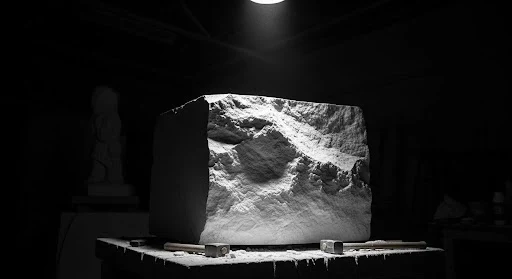
First-and-last-frame mode is useful when the clip must open and finish on planned compositions. Provide the starting image, optionally add an ending image, and describe the intended transition. The model generates the motion between those visual anchors. This Veo 3.1 family sample is shown without a prompt because the original prompt was not published with the media.
| Start and End Frames | Veo 3.1 Family Video |
|---|---|
  |
Describe Sound as Part of the Action
Native audio lets one prompt coordinate the visible event and its acoustic character. Material words such as crunchy or metallic can help establish the expected sound texture. Mention dialogue, ambience, or effects only when they serve the scene. The published family prompt and its matching output remain paired in this example.
| Prompt | Veo 3.1 Family Video |
|---|---|
A keyboard whose keys are made of different types of candy. Typing makes sweet, crunchy sounds. Audio: Crunchy, sugary typing sounds, delighted giggles. |
Turn a Compact Prompt into a Complete Journey
An eight-second video can still communicate a progression when the prompt uses a clear sequence of events. Start with the subject, add one or two transitions, and finish on a readable destination. This keeps the instruction achievable within the fixed duration. The following family example preserves the source prompt word for word.
| Prompt | Veo 3.1 Family Video |
|---|---|
A paper boat sets sail in a rain-filled gutter. It navigates the current with unexpected grace. It voyages into a storm drain, continuing its journey to unknown waters. |
How to Create with Veo 3.1 Lite
Prepare an eight-second video request and choose the credit level that fits your output.
Choose Your Starting Material
Enter a text prompt, add one starting image, supply up to three reference images, or upload first and last frames.
Pick Orientation and Resolution
Select 16:9 or 9:16. Use 720p for 10 credits or 1080p for 20 credits; the clip length is fixed at eight seconds.
Generate and Download
Submit the request, preview the result when processing finishes, and save the video or adjust the prompt for another version.
Choose the plan that's right for you
Get all features of Picir.ai, complete tasks quickly and achieve professional results with our advanced AI technology.
Basic
- 600 credits/month
- All features available
- Unlimited downloads per day
- Assets owned by customer
- Faster generation speed
- Priority support
Pro
- 1600 credits/month
- All features available
- Unlimited downloads per day
- Assets owned by customer
- Faster generation speed
- Priority support
Max
- 4000 credits/month
- All features available
- Unlimited downloads per day
- Assets owned by customer
- Faster generation speed
- Priority support
Prime
- 8000 credits/month
- Team management
- Up to 5 team members
- All features available
- Unlimited downloads per day
- Assets owned by customer
- Faster generation speed
- Priority support
Veo 3.1 Lite Specifications
Verified Veo 3.1 Lite settings and credit costs on Picir AI.
| Developer | |
| Model type | AI video generation with native audio |
| Generation modes | Text or image to video; reference to video; first & last frame to video |
| Aspect ratios | 16:9, 9:16 |
| Output resolution | 720p, 1080p |
| Clip duration | 8 seconds |
| Reference images | Up to 3 images, up to 15MB each |
| Credit cost | 10 credits at 720p; 20 credits at 1080p |
| Typical generation time | About 1 minute |
Last updated: July 24, 2026
Questions About Veo 3.1 Lite
Get precise answers about signup credits, resolution costs, input modes, and output limits.
What is Veo 3.1 Lite?
Veo 3.1 Lite is the lowest-credit Veo 3.1 option available in the Picir AI generator. It creates fixed eight-second videos with native audio at 720p or 1080p.
Can a new user create a Veo 3.1 Lite video for free?
Yes, but the offer is limited to one 720p generation. New users receive 10 signup credits, and one 720p Veo 3.1 Lite request costs exactly 10 credits; a 1080p request costs 20 credits.
What does Veo 3.1 Lite cost after the signup credits?
Each 720p generation costs 10 credits and each 1080p generation costs 20 credits. The signup balance covers only the first 720p request.
Which generation modes does Lite support?
The current workspace offers text or image to video, reference to video with up to three images, and first-and-last-frame generation.
How long is a Veo 3.1 Lite output?
Every result is eight seconds. The generator does not expose other duration choices for this variant.
Does Veo 3.1 Lite include sound?
Yes. Veo 3.1 models can generate audio natively with the video, including dialogue, ambient sound, and effects described in the prompt.
Can I render a portrait Veo 3.1 Lite video?
Yes. Choose 9:16 for vertical video or 16:9 for landscape output, then select 720p or 1080p.
How quickly does Veo 3.1 Lite generate?
The configured estimate is about one minute. Completion time may shift depending on current provider demand.
When should I upgrade to Fast or the main Veo model?
Move to Fast when you need extension support, or compare the main Veo 3.1 route when its standard workflow better fits the project. Lite remains the most credit-efficient choice of the three.