
What Is GPT Images 3.0? Verified Status and What Creators Can Do Now
on 10 days ago

GPT Images 3.0 is an unverified name circulating in discussion about a possible future OpenAI image model. As of November 10, 2026, the official model catalog and image generation documentation reviewed for this article do not establish a released model under that name. They do document GPT Image 2.6. That distinction matters if you are choosing a tool for work due today. OpenAI model catalog.
Here is what the name means, which claims remain unsupported, and how to evaluate image tools without building your plans around a rumor.
Checked November 10, 2026. Images are editorial illustrations, not GPT Images 3.0 samples or screenshots.
What does GPT Images 3.0 actually refer to?
For now, treat the phrase as a rumor label rather than a confirmed product identity. A third-party explainer describes a possible successor to GPT Image 2.6 and attributes its claims to social discussion. Its account includes possible internal testing and a proposed change in the underlying model. Those claims are not independently established here. Kie's account of the rumor.
Even the spelling needs care. OpenAI's catalog uses the singular “GPT Image” for its documented image models. Searching for the plural phrase does not prove that it is an official name, and a plausible version number does not identify a working service.
The sources checked do not provide a confirmed 3.0 specification, public model identifier, or release schedule. This does not tell us what OpenAI may be testing privately. It tells us what a reader can responsibly use as evidence.
What official sources confirm today
OpenAI lists GPT Image 2.6 Sunburst and Flare in its model catalog. The Sunburst model page describes generation and editing from text and image inputs, with image outputs. That is evidence about 2.6, not a preview of an eventual 3.0 release. GPT Image 2.6 Sunburst documentation.
OpenAI's image generation guide also explains 2.6 features such as complexity control and markup-guided edits. These are useful reference points when reading future announcements, but they should not be copied into a speculative successor's feature list. Official image generation guide.
Keep the evidence separated:
| Question | What this review establishes |
|---|---|
| Is GPT Image 2.6 documented? | Yes, in official model pages and the generation guide. |
| Is GPT Images 3.0 a confirmed release? | The official sources checked do not establish that. |
| Does 3.0 have verified pricing or output limits? | No verified figures were established in this review. |
| Can we compare its quality with existing models? | No controlled comparison is presented here. |
A missing listing is a reason to withhold a claim, not proof that a project cannot exist.
How to check a new announcement before relying on it

Start with the source behind the headline. An article may accurately report that someone made a prediction while still offering no evidence that the prediction is true. Several retellings of the same statement do not make it independently verified.
For a claimed release, look for a link to official documentation that names the model and explains access. Then check whether the identifier in the documentation matches the model selected in the tool you intend to use. A general image-generation page is not enough to establish access to a specific new version.
For a quality claim, ask what was compared. Were the same reference images and instructions used? Are unsuccessful attempts visible? Does the example identify settings and any manual corrections? An attractive gallery can help you judge visual taste, but it cannot establish reliability on your own brief.
Keep a short record of the source URL, date checked, exact model name, and unanswered questions. If a later announcement changes the facts, you can update the decision instead of trying to remember which claim you trusted.
A practical image workflow while the name is unconfirmed
You can prepare useful evaluation material without access to a rumored model. Pick a task you actually repeat: a product visual, a thumbnail, or a background revision. Write down what makes an output usable before generating anything.
For example, a mug campaign might require the handle to retain its shape, the glaze to stay amber, and the right side to remain clear for copy. A relevant test prompt would be:
Use the reference mug in a studio product composition. Preserve its handle, proportions, and amber glaze. Place it on an ivory pedestal against a plain lavender wall. Leave open space on the right. Do not add lettering.
This is a suggested brief, not a claim about a tested result. Use a reference image you are entitled to upload, and check which inputs your selected tool accepts.
On Picir's image workspace, review the available model and input options before starting. Picir's GPT Image 2.5 page is another relevant starting point for an existing model family. Neither link is evidence of 3.0 access.
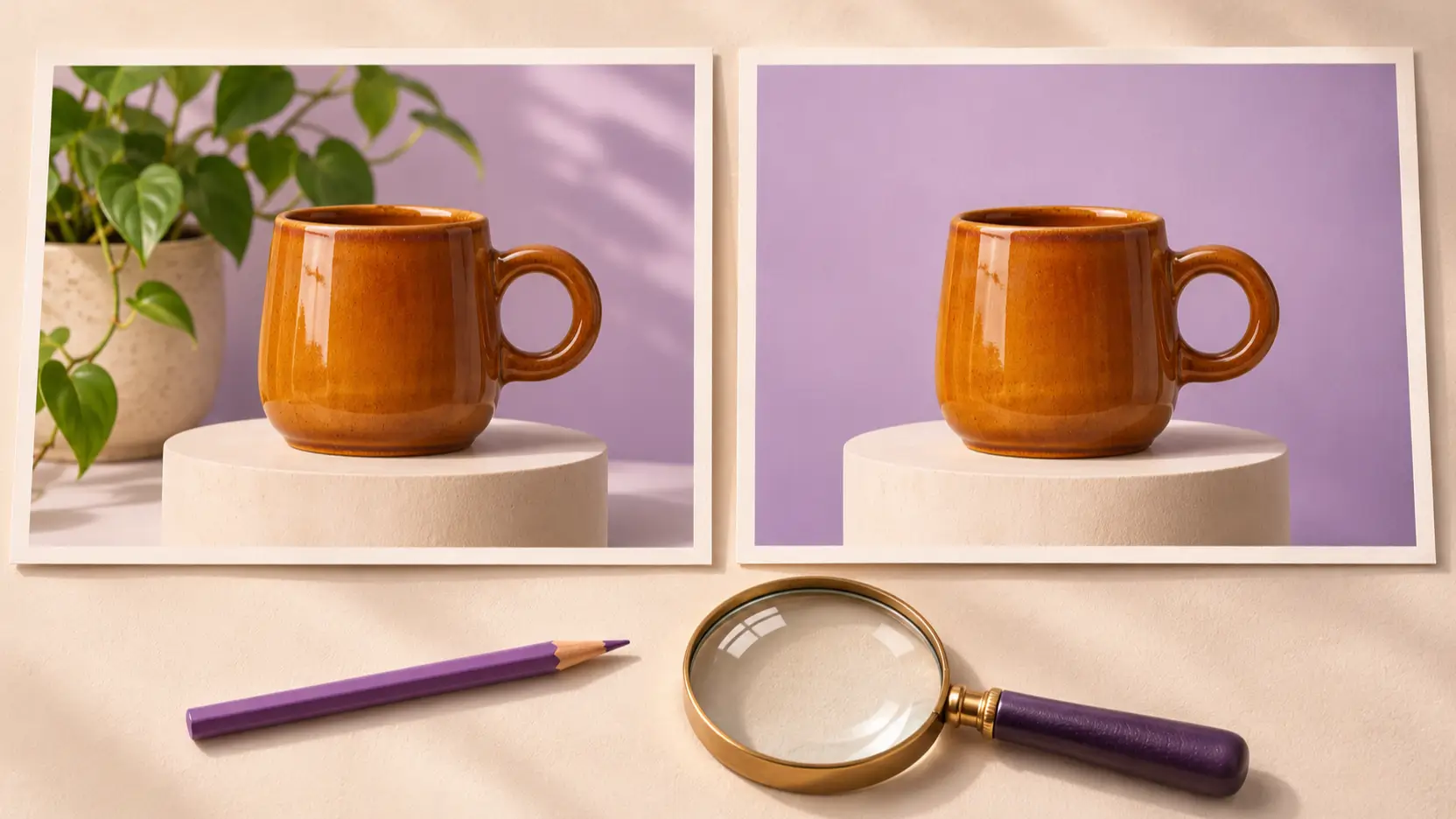
Once you have a promising composition, request one focused revision, such as removing a background plant. Compare the revised image with the original at full size. Check the handle, rim, color, shadows, and crop, not just whether the plant disappeared.
Save the prompt, reference, selected model, and output together, along with notes on any corrections still needed. If a new model becomes available later, repeat the same brief and compare usable results rather than choosing by version number alone.
Common misconceptions about a possible successor
A larger version number does not establish a particular architecture. Without technical documentation, connecting a future image model to a particular language-model generation remains speculation. Avoid treating a proposed internal design as an explanation for quality that has not been demonstrated.
Where you can use a model needs its own confirmation. A model page, an API option, and a selection inside a creative application answer different questions. Check the environment where you plan to work instead of assuming that one announcement covers every interface.
An illustration labeled with a future model name may be concept art. Look for provenance: who generated it, which tool was selected, and whether the image is presented as a concept or a sample. The illustrations in this article explain an evaluation process; they do not demonstrate 3.0 performance.
FAQ
Has GPT Images 3.0 been released?
The official sources reviewed on November 10, 2026 do not establish a public release under that name. Before trying a claimed release, look for documentation that gives its exact model identifier and explains who can access it.
What does GPT Images 3.0 cost?
No verified 3.0 price was established in this review. Do not apply another model's price to it. When evaluating an available tool, check the selected model, settings, and displayed charge before generating.
Can I use GPT Images 3.0 on Picir?
This article does not confirm 3.0 availability on Picir. Use the model options actually shown in the workspace. A blog discussing a name is not an announcement that the corresponding model has been integrated.
Is GPT Images 3.0 the same as GPT Image 2.6?
Do not treat the names as interchangeable. GPT Image 2.6 has official documentation; this review has not established an official identity for 3.0. Use the documented name when describing a result or comparing tools.
Conclusion
GPT Images 3.0 is worth checking for official confirmation, but it is not a sound basis for promising features, pricing, or delivery dates. For current work, choose a documented option you can access and test it against a concrete brief. Keep those prompts and reference images: they will give you a useful comparison if a successor is later announced.