Designers
Explore posters, title graphics, and layout concepts that combine lettering with imagery. Use structured prompts to communicate where key elements should appear.

Create images with Chinese and English lettering, detailed scenes, and a choice of photographic or illustrated styles. MOSS Image also accepts JSON layouts to guide where text and objects appear.
An image model that brings words, visual detail, and composition into one prompt.
MOSS Image, officially named MOSS-Image, is a text-to-image model family from OpenMOSS, released on October 16, 2026. Its 5-billion-parameter backbone supports prompts up to 4K tokens and can generate both photographic and illustrated images.
The family includes MOSS-Image-Base and MOSS-Image-SFT. SFT is fine-tuned from Base on curated data; both use the same architecture and prompt interface. They are two checkpoints from the same release, rather than successive model generations.
Choose how to describe the image you want to create:
Layout prompts are experimental. Review generated text and placement before using an image.
Changing a layout generates a new composition; it does not establish support for editing an uploaded photo.
Six published OpenMOSS examples, from handwritten text to illustration and panoramic scenes.
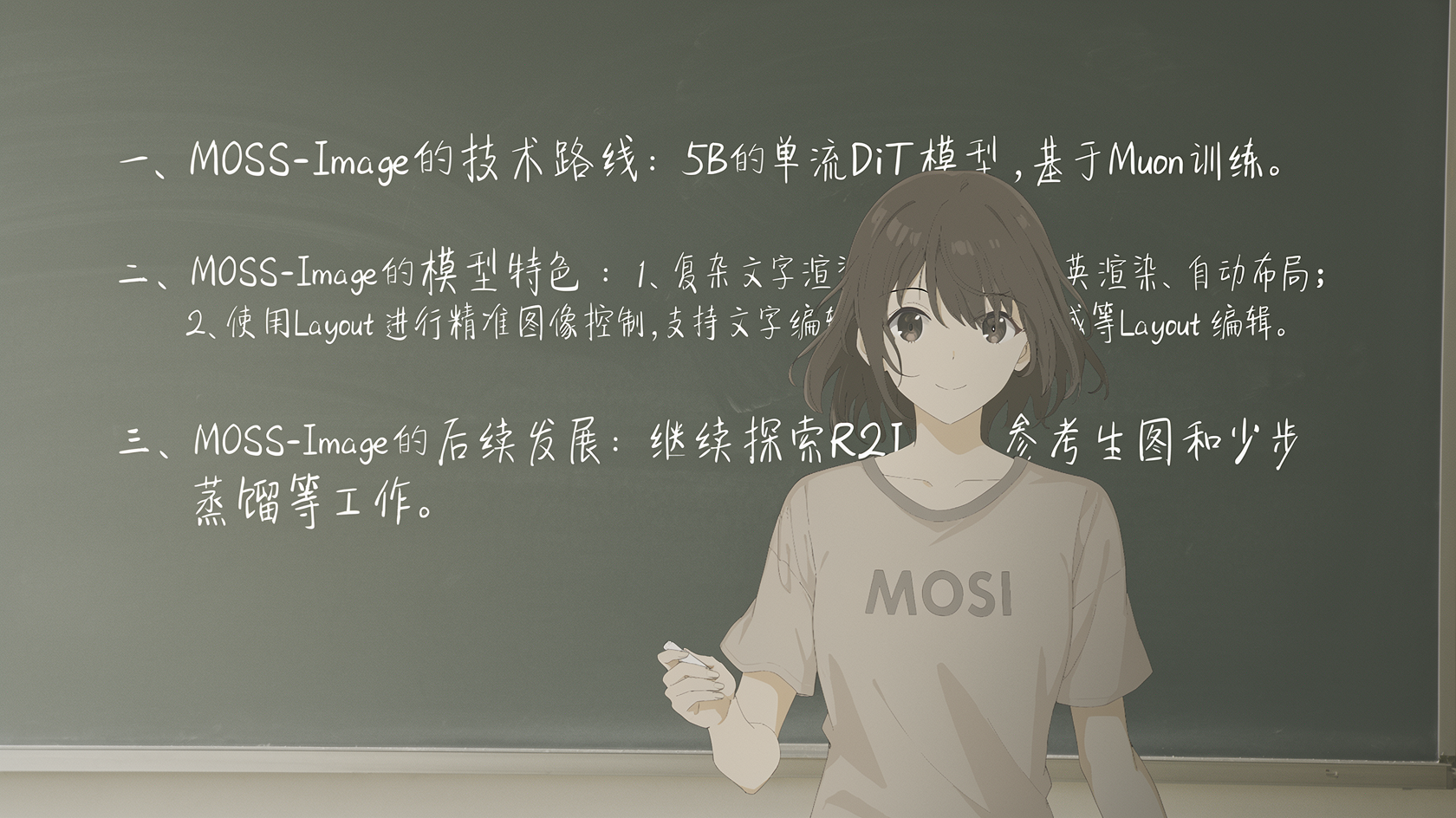
MOSS Image
Handwritten Words in an Illustrated Classroom
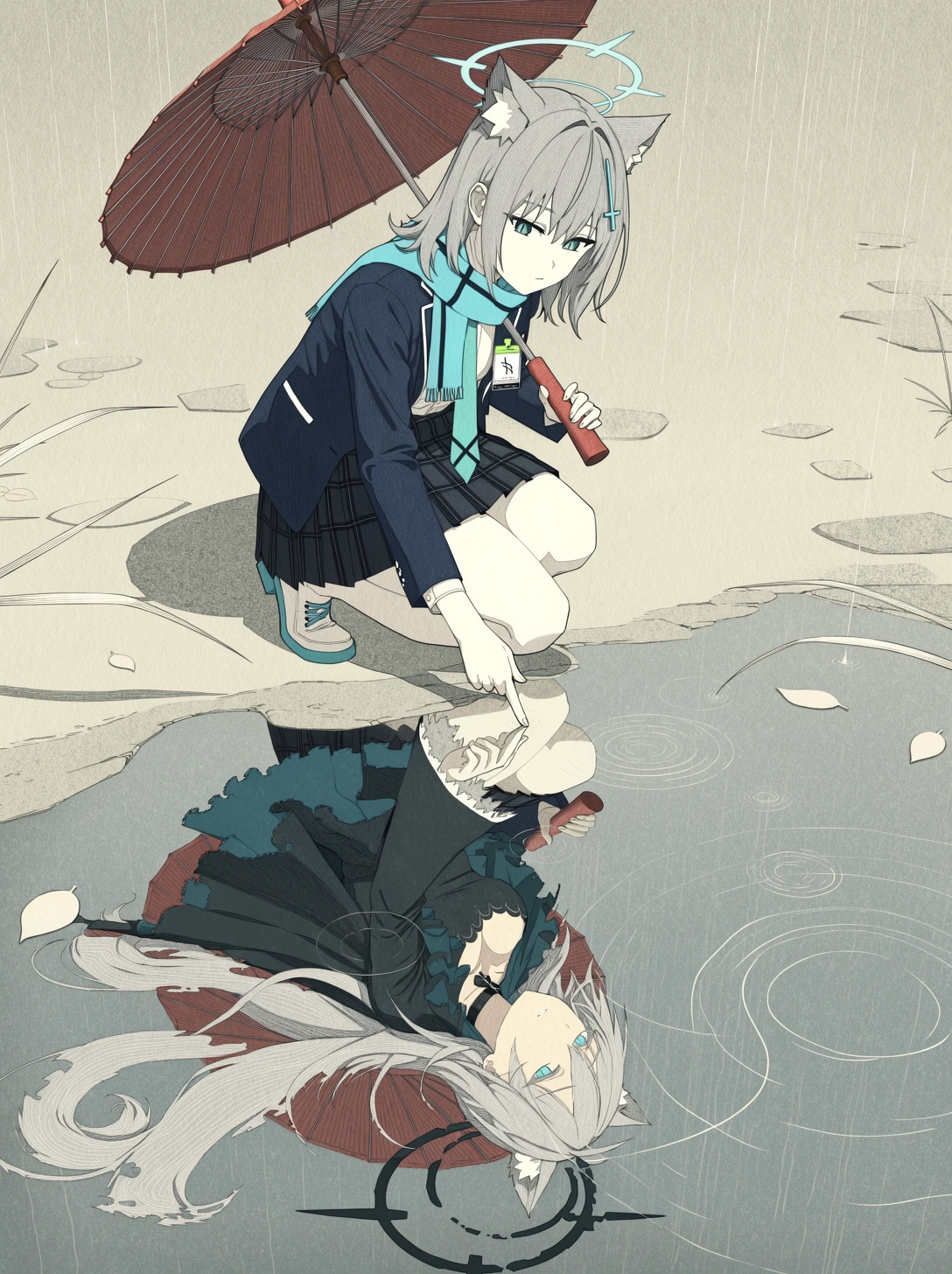
MOSS Image
A Reflection in the Rain
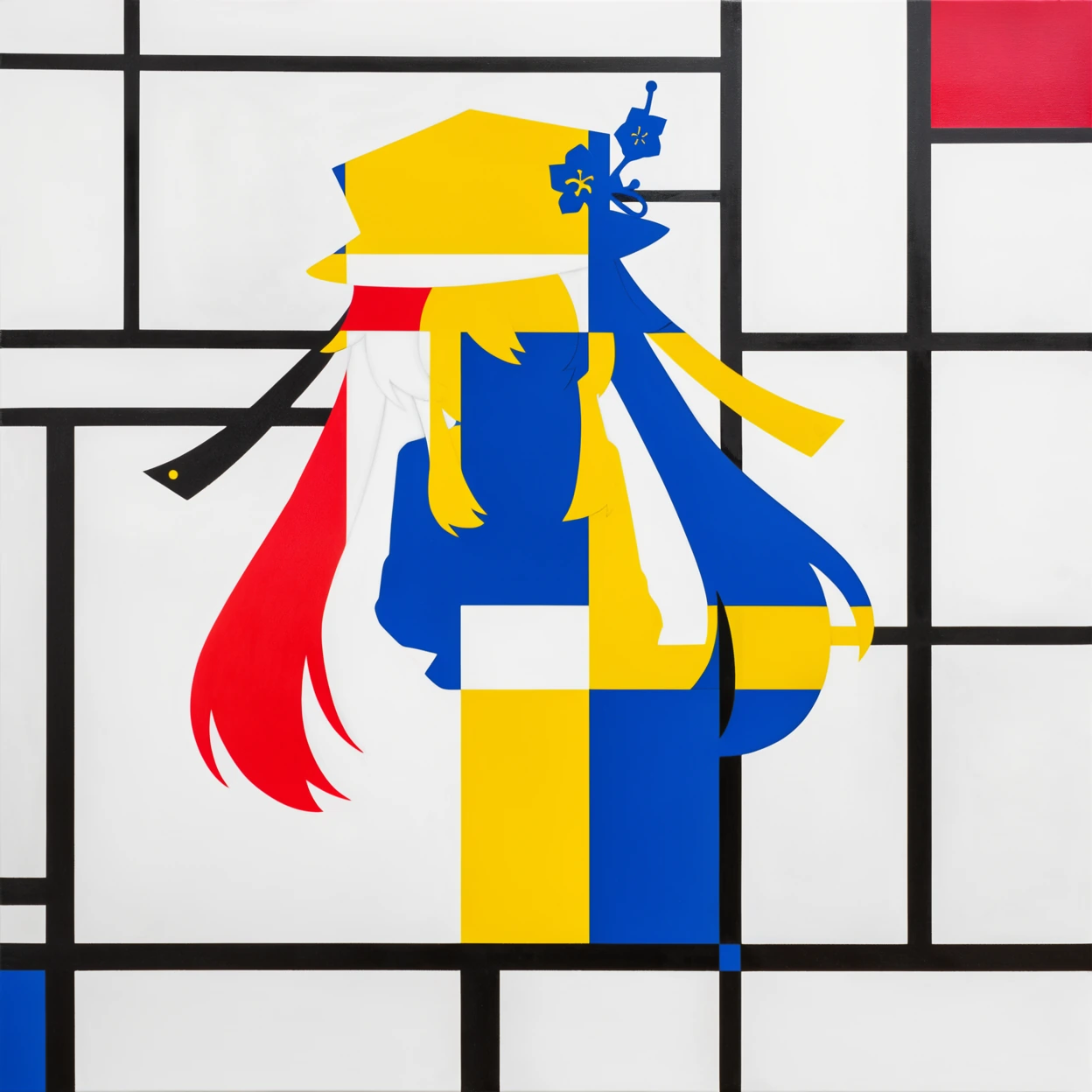
MOSS Image
Bold Shapes and Primary Colors
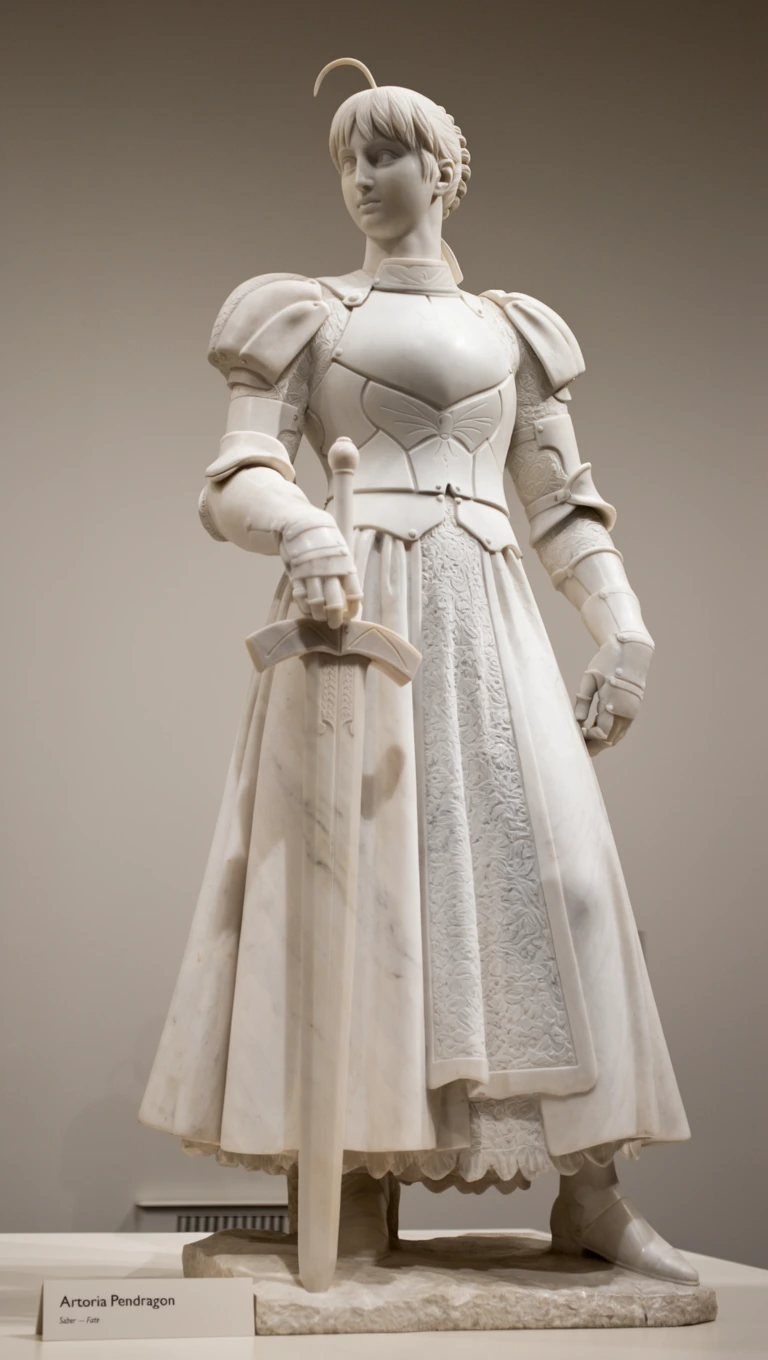
MOSS Image
A Marble Figure with Sculpted Detail
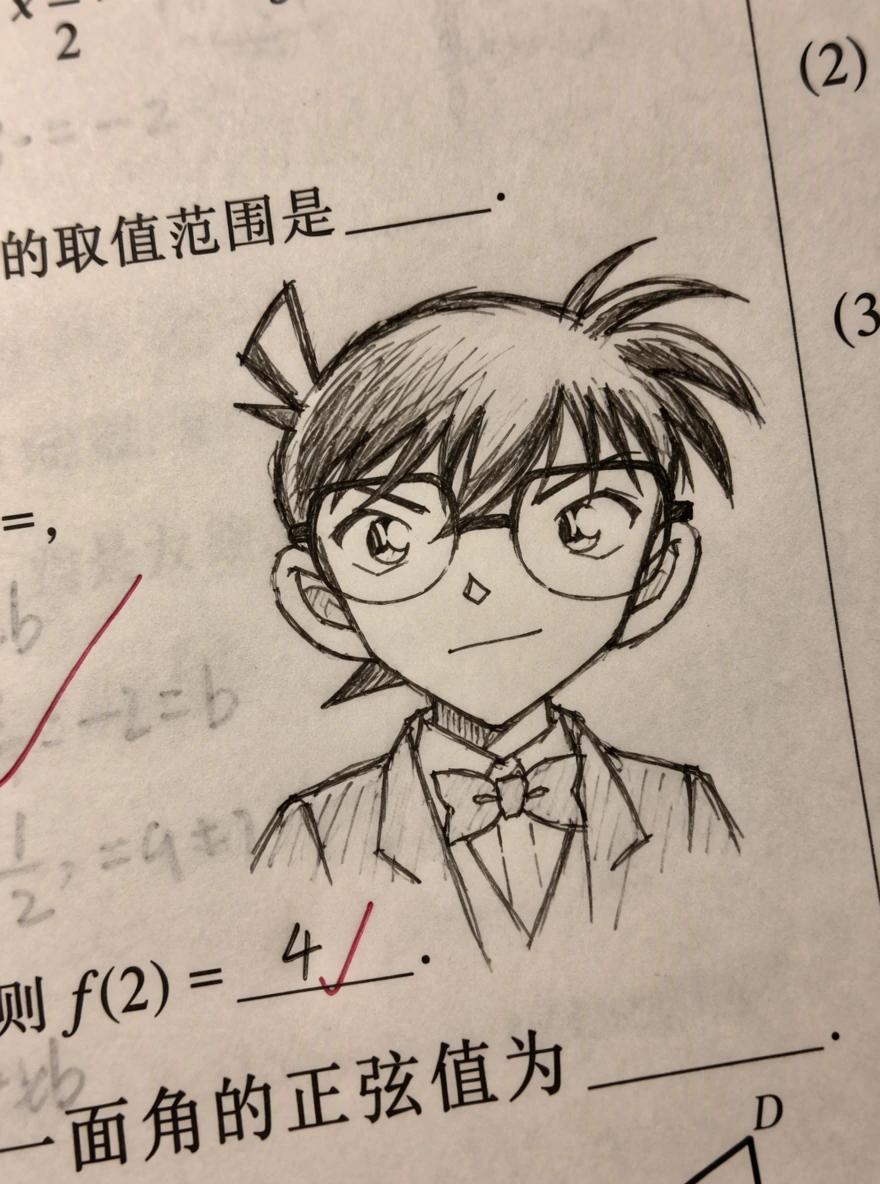
MOSS Image
Pencil Lines on a Printed Worksheet
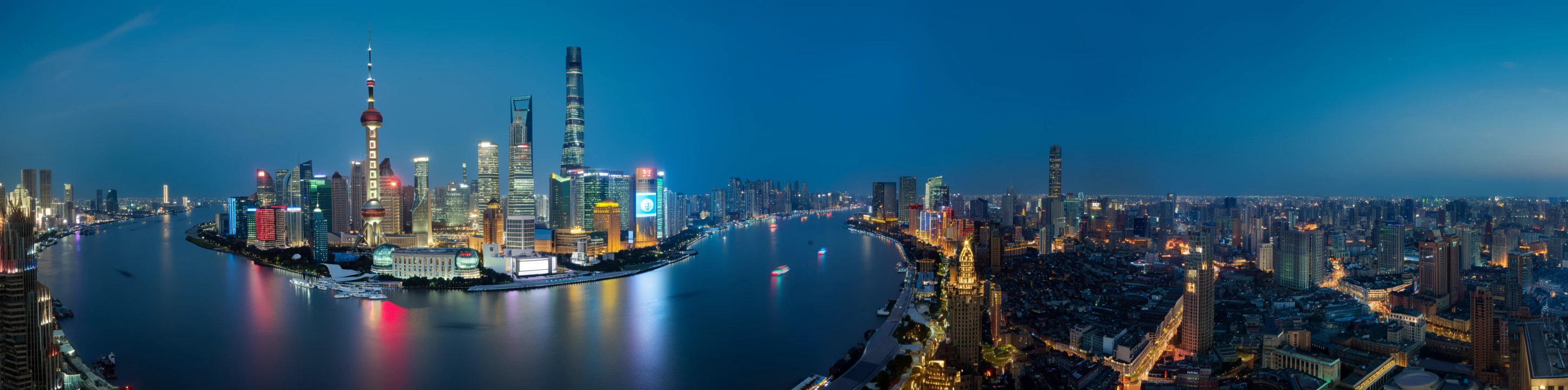
MOSS Image
A Panoramic Shanghai Skyline
Explore six capabilities that help turn a visual idea into a detailed image.
Include words directly in an image, from notes and signs to longer passages. Describe the exact wording and intended line breaks, then check the result for spelling and omissions.
Guide the placement of text and objects with descriptions and bounding boxes. This experimental input format expresses your intended composition, without guaranteeing pixel-perfect placement.
Prompts can contain up to 4K tokens, giving you room to describe multiple subjects, materials, lighting, and their relationships within a scene.
Explore realistic-looking scenes, anime, sketches, and graphic artwork. The published examples show different visual styles within the same model family.
Choose square, portrait, or landscape images on Picir AI with five aspect ratios: 1:1, 4:3, 3:4, 16:9, and 9:16. Output uses a fixed 1K setting, with JPEG, PNG, or WebP formats.
Write a natural-language description, use tags, or combine prose with a structured layout. You can start simply and add more explicit composition guidance when needed.
Use text, illustration, and composition controls for a wide range of visual projects.
Explore posters, title graphics, and layout concepts that combine lettering with imagery. Use structured prompts to communicate where key elements should appear.
Develop characters, atmospheric scenes, and illustrated story ideas. Describe the mood, materials, and visual relationships in a detailed prompt.
Create announcement graphics, bilingual visuals, and image concepts for posts or presentations. Review every generated headline before sharing it.
Explore classroom scenes, handwritten notes, and text-bearing illustrations for explanatory content. Check both the wording and factual accuracy of the finished image.
Describe your idea, choose your image settings, and generate with MOSS Image.
Write the subject, setting, visual style, and desired lettering. English is recommended in the official guide; Chinese prompts are also supported.
Select an aspect ratio and JPEG, PNG, or WebP output. MOSS Image uses a fixed 1K setting; choose how many images you want to generate.
Generate your images, then review the results in your workspace. Check lettering and composition, and refine your prompt for another version.
Model information and image-generation settings available on Picir AI.
| Developer | OpenMOSS Team |
| Release date | October 16, 2026 |
| Generation mode | Text to image |
| Model architecture | 5B-parameter diffusion transformer |
| Prompt formats | Natural language, tag sequences, and JSON layouts |
| Prompt input on Picir AI | Up to 5,000 characters |
| Text rendering | Chinese and English |
| Output resolution | 1K (fixed) |
| Aspect ratios | 1:1, 4:3, 3:4, 16:9, 9:16 |
| Output formats | JPEG, PNG, WebP |
| Layout control | Experimental text and object placement through JSON prompts |
| Reference images | No image upload; describe your image in the prompt |
Last updated: October 21, 2026
Compare the two checkpoints released together in the MOSS Image family.
| Specification | MOSS-Image-Base | MOSS-Image-SFT |
|---|---|---|
| Release date | October 16, 2026 | October 16, 2026 |
| Checkpoint role | Foundational model | Fine-tuned from Base on curated data |
| Backbone | 5B parameters | Same 5B architecture |
| Prompt formats | Natural language, tags, JSON layouts | Natural language, tags, JSON layouts |
| Prompt window | Up to 4K tokens | Same family interface |
| Text rendering | Chinese and English | Chinese and English |
| Layout control | Experimental | Shared layout interface |
| Official whiteboard example | Less organized text grouping | Clearer grouping and more organized layout |
MOSS-Image-Base Advantages: Base preserves a foundational checkpoint for adaptation and custom fine-tuning, including LoRA training.
MOSS-Image-SFT Advantages: SFT adds curated-data fine-tuning and shows clearer text grouping in the official whiteboard comparison.
Consider SFT when evaluating ready-to-use image quality, and Base when planning adaptation or fine-tuning. Compare both on your own prompts: one published example does not establish a universal winner.
Choose a Picir AI plan and use credits to generate images with MOSS Image. See the current cost per image below.
MOSS Image uses a fixed credit cost per generated image. The examples below show the cost for one image at the fixed 1K setting.
| Image settings | Credits per image |
|---|---|
| Square · 1:1 · JPEG · 1K | 8 |
| Landscape · 16:9 · PNG · 1K | 8 |
| Portrait · 9:16 · WebP · 1K | 8 |
Aspect ratio and output format do not change the per-image cost. Generating multiple images charges separately for each image.
Find answers about prompts, layouts, model versions, and image-generation limits.
MOSS Image is an OpenMOSS text-to-image model family with a 5B backbone. Released on October 16, 2026, it includes Base and SFT checkpoints and supports photographic and illustrated outputs.
Yes. Both are documented capabilities, with published examples of handwriting and text within scenes. Exact spelling, line breaks, and completeness still require inspection.
No. The official guide describes layout prompts as experimental. Bounding boxes guide composition, so text or objects may differ from the requested position or size.
MOSS Image on Picir AI generates new images from text and does not accept uploaded reference images. Changing a JSON layout creates a new composition rather than editing an existing photo.
On Picir AI, MOSS Image uses a fixed 1K setting and supports 1:1, 4:3, 3:4, 16:9, and 9:16 aspect ratios. You can choose JPEG, PNG, or WebP output. Resolution is fixed rather than a selectable control.
Describe the subject, setting, style, lighting, and exact text you want to see. The official guide recommends English prompts and suggests explicit line breaks for lettering. Natural language, tags, and JSON layouts can also be combined.
SFT is fine-tuned from Base on curated data. Both share the same architecture and prompt interface; SFT is not a larger or later-generation model. The official whiteboard example shows clearer text grouping with SFT.
You can use the MOSS Image AI Image Generator on Picir AI. Enter a prompt, choose your image settings, and generate your images directly from this page.